
Updated on October 27, 2025
Glenda Webb | Business & Lifestyle Lab
Get local business support | Increase the revenue and expand your business in Florida

In the world of smartphones, the camera quality is often a significant selling point, especially when it comes to the iPhone 15 front camera. You might expect it to enhance your selfies and make you look your best. However, some users notice that their new iPhone makes them look less flattering in photos. If you’re experiencing this, don’t worry – you’re not alone. In this article, we’ll explore the reasons behind this unexpected phenomenon and provide tips to improve your photo quality. Keep reading to understand why your new iPhone might be making you look uglier and how you can fix it.
The Reality of Advanced Camera Technology
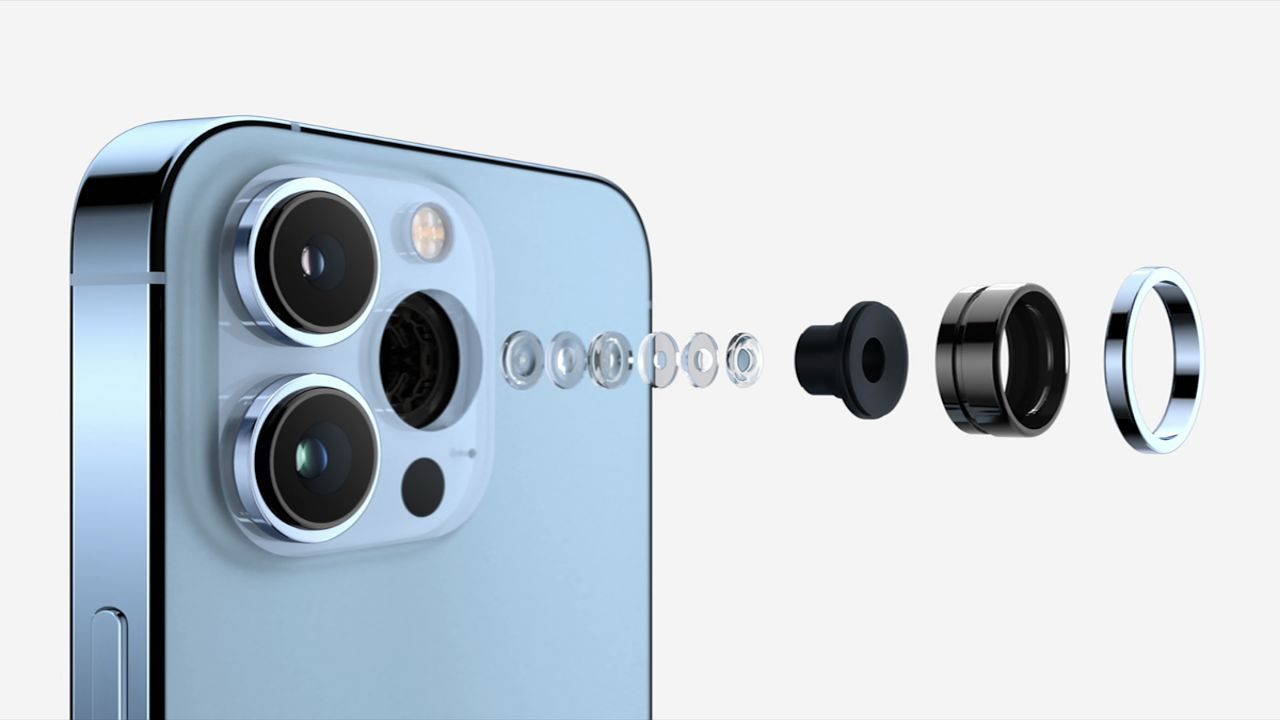
With each new iPhone release, the camera technology becomes more advanced. The iPhone 15 front camera, for instance, boasts higher resolution, better low-light performance, and more sophisticated algorithms for image processing. While these advancements are designed to capture more detail and produce clearer images, they can sometimes have unintended consequences.
One of the reasons your new iPhone might be making you look uglier is the increased detail it captures. Imperfections that were previously smoothed over by lower-resolution cameras are now visible in high definition. This means that every pore, wrinkle, and blemish is more noticeable.
Additionally, the iPhone’s camera algorithms are designed to enhance certain features automatically. This can sometimes lead to unnatural-looking photos where skin tones appear off or facial features are exaggerated. These enhancements are meant to improve the overall image quality, but they don’t always work perfectly for every face.
Understanding Lighting and Angles
Another crucial factor that affects how you look in your photos is lighting and angles. Like any other camera, the iPhone 15 front camera performs best under optimal lighting conditions. Poor lighting can cast unflattering shadows on your face, highlighting features you’d rather not emphasize. Natural light is usually the best for selfies, as it provides even illumination and brings out your true colors.
Angles also significantly affect how you appear in photos. Holding your phone too low or too high can distort your facial features, making your nose look larger or your forehead more prominent. The best selfie angle is typically at or slightly above eye level, with the camera tilted slightly downward.
Experiment with different angles and lighting conditions to see what works best for you. Sometimes, a small adjustment can make a big difference in how flattering your photos turn out.
The Role of Camera Settings
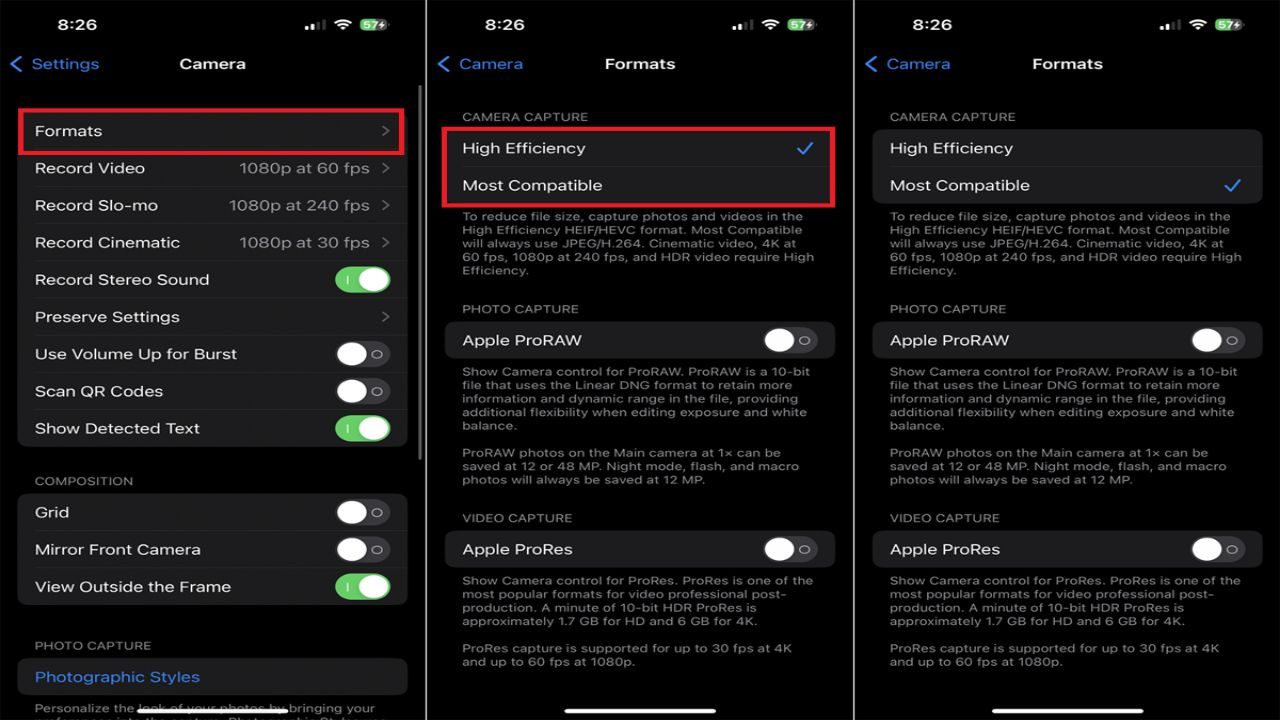
The default settings on your iPhone’s camera may not always be the best choice for capturing your most flattering image. Fortunately, the iPhone 15 front camera offers a range of settings that you can tweak to improve your selfies.
Start by exploring the various shooting modes available. Portrait mode, for instance, can create a beautiful depth-of-field effect, blurring the background and making your face stand out more. This mode also includes different lighting options that can help you achieve the perfect look.
Another useful feature is the exposure control. Adjusting the exposure can help balance the light in your photos, reducing harsh shadows and bright spots. Tap on your face in the camera preview and slide the exposure icon up or down to find the right balance.
Finally, don’t forget about the beauty filter options. While it’s important to embrace your natural beauty, these filters can help smooth out minor imperfections and give your skin a more polished look. Use them sparingly to enhance your photos without making them look overly edited.
The Impact of Image Processing
Image processing is a double-edged sword. On one hand, it can enhance your photos by adjusting colors, contrast, and sharpness. On the other hand, it can sometimes produce unrealistic results. The iPhone 15 front camera uses advanced algorithms to process your images, but these algorithms don’t always understand what looks best for every individual.
One common issue is over-sharpening, where the camera enhances edges too much, making your features look harsh. This can be particularly noticeable around the eyes and mouth. Another problem is excessive smoothing, which can make your skin look plastic and unnatural.
To mitigate these effects, consider using third-party photo editing apps that give you more control over the final result. Apps like Lightroom, VSCO, and Snapseed offer advanced editing tools that allow you to fine-tune your photos to your liking. With these apps, you can adjust the sharpness, contrast, and saturation to achieve a more natural look.
Tips for Taking Better Selfies
Now that we’ve discussed some of the reasons why your new iPhone might be making you look uglier, let’s focus on some practical tips for taking better selfies.
Find the Right Light
Natural light is your best friend when it comes to selfies. Position yourself near a window or go outside to take advantage of the soft, even lighting. Avoid harsh overhead lights that can cast unflattering shadows.
Use the Grid
Enable the grid lines in your camera settings to help you align your shots better. The rule of thirds is a helpful composition technique that can make your selfies more visually appealing.
Keep the Lens Clean
A dirty lens can make your photos look blurry and reduce their quality. Wipe the lens with a clean, soft cloth before taking a selfie to ensure you get the sharpest image possible.
Experiment with Angles
Play around with different angles to find the most flattering one for your face. Hold the camera slightly above eye level and tilt it downward to avoid unflattering angles.
Relax and Be Natural
The best selfies are the ones where you look relaxed and natural. Don’t force a smile or pose. Instead, think of something that makes you happy and let your expression come naturally.
Embracing Your Natural Beauty
While technology can sometimes make us hyper-aware of our imperfections, it’s important to remember that everyone has them. The goal of taking selfies should be to capture moments and express yourself, not to achieve perfection. Embrace your natural beauty and focus on what makes you unique.
Remember that despite its advanced technology, the iPhone 15 front camera is just a tool. How you use it determines the outcome. By understanding its features and learning how to use them to your advantage, you can take stunning selfies that make you feel confident and beautiful.